
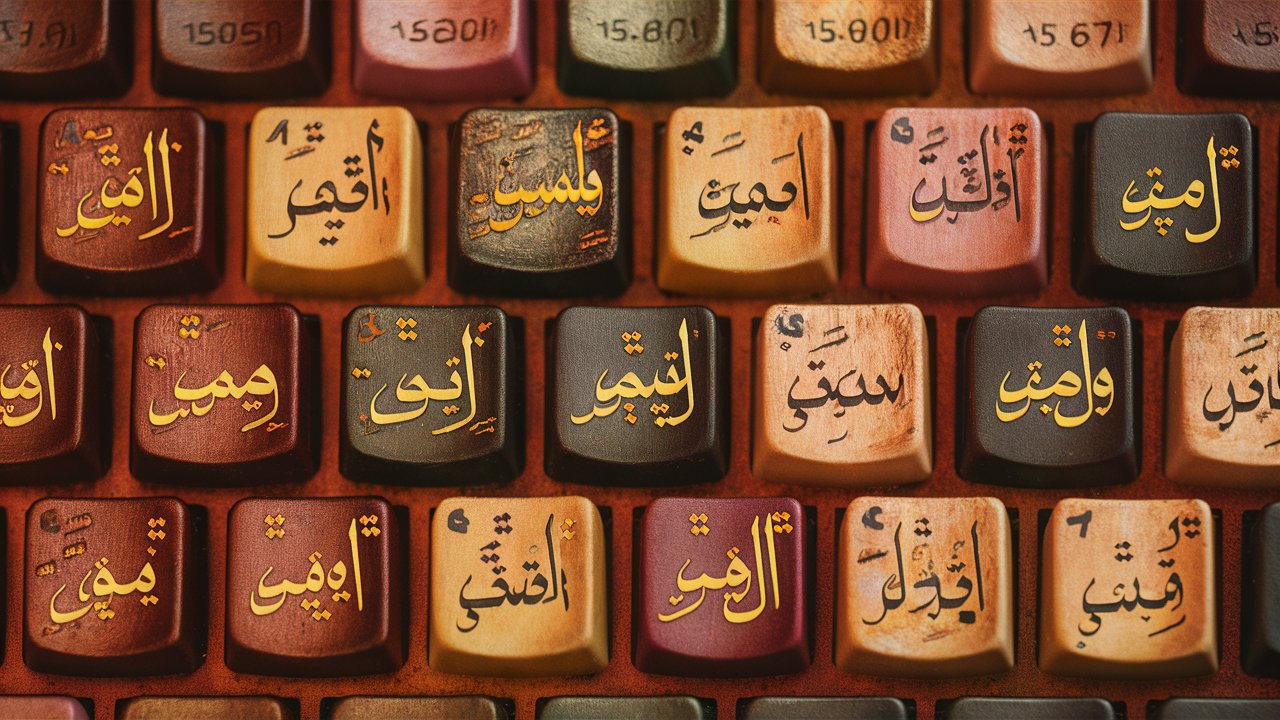
The Arabic keyboard has become an essential tool for millions of users across the world who communicate, work, and create content in Arabic. With the rise of digital communication, social media, and global connectivity, the need for accurate and efficient Arabic typing has never been greater. Whether for professional use, academic writing, or personal communication, understanding how to use an Arabic keyboard effectively can significantly enhance productivity and accuracy. This comprehensive guide explores everything about Arabic keyboards—from their layout and features to online tools, mobile apps, and customization options—helping users master Arabic typing with ease.
1. Understanding the Arabic Keyboard Layout
The Arabic keyboard layout differs significantly from the standard QWERTY layout used for English. Arabic is written from right to left, and its alphabet consists of 28 letters, each with unique shapes depending on their position in a word. The Arabic keyboard replaces Latin characters with Arabic letters, and punctuation marks are also rearranged to suit the writing direction. Learning this layout is the first step toward typing fluently in Arabic. Many users find it helpful to use virtual keyboard overlays or printed stickers to familiarize themselves with the letter positions.
2. Types of Arabic Keyboards
There are several types of Arabic keyboards available, each designed for specific devices and user preferences.
- Physical Arabic Keyboards: These are standard keyboards with Arabic letters printed alongside English characters. They are ideal for desktop and laptop users who type frequently in both languages.
- Virtual Arabic Keyboards: Online Arabic keyboards allow users to type Arabic text without installing additional software. These are accessible through web browsers and are perfect for quick typing tasks.
- Arabic Keyboard Apps: Mobile users can download Arabic keyboard apps from app stores, offering features like predictive text, emoji integration, and voice typing.
- Bilingual Keyboards: These keyboards combine Arabic and English layouts, making it easy to switch between languages seamlessly.
3. How to Install and Enable an Arabic Keyboard
Installing an Arabic keyboard is simple across most operating systems. On Windows, users can go to Settings → Time & Language → Language → Add a Language → Arabic. On macOS, the process involves System Preferences → Keyboard → Input Sources → Add Arabic. For Android and iOS devices, users can add Arabic keyboards through the language settings in their respective systems. Once installed, switching between languages can be done using a shortcut key or a language icon on the taskbar.
4. Benefits of Using an Arabic Keyboard
Using an Arabic keyboard offers numerous advantages for native speakers, students, and professionals. It ensures accurate spelling, proper grammar, and authentic communication. For businesses, it enhances localization and customer engagement in Arabic-speaking markets. For students and researchers, it allows for efficient writing of essays, reports, and academic papers in Arabic. Moreover, typing directly in Arabic eliminates the need for transliteration tools, which often produce inaccurate results.
5. Online Arabic Keyboard Tools
Online Arabic keyboards are convenient for users who do not have Arabic input installed on their devices. Websites offering virtual Arabic keyboards allow users to type Arabic text using a mouse or standard keyboard and then copy the text into documents, emails, or social media posts. These tools are especially useful for travelers, students, or anyone using shared computers. Some popular online Arabic keyboard platforms also include features like automatic diacritic insertion, text conversion, and transliteration support.
6. Arabic Keyboard for Mobile Devices
Smartphones have made Arabic typing more accessible than ever. Both Android and iOS devices support Arabic keyboards natively, and users can also install third-party apps for enhanced functionality. These apps often include features like swipe typing, predictive suggestions, and voice input in Arabic. Mobile Arabic keyboards are optimized for touchscreens, ensuring smooth and fast typing experiences. They also support customization options such as themes, font styles, and personalized layouts.
7. Customizing the Arabic Keyboard
Customization allows users to tailor their Arabic keyboard to their preferences. On computers, users can modify key mappings, add shortcuts, or use software like Microsoft Keyboard Layout Creator to design a personalized layout. On mobile devices, customization options include changing the keyboard theme, adjusting key size, and enabling or disabling auto-correction. These adjustments make typing more comfortable and efficient, especially for users who frequently switch between Arabic and other languages.
8. Common Challenges When Using an Arabic Keyboard
While the Arabic keyboard is highly functional, beginners may face challenges such as remembering letter positions, dealing with right-to-left text alignment, and managing diacritics. Another common issue is switching between Arabic and English layouts, which can cause confusion during bilingual typing. However, with consistent practice and the use of visual aids like keyboard stickers or on-screen guides, these challenges can be easily overcome.
9. Tips for Mastering Arabic Typing
To become proficient in Arabic typing, regular practice is essential. Typing tutors and online training programs can help users improve speed and accuracy. Memorizing the keyboard layout, practicing common words, and using typing games can make learning enjoyable. Additionally, enabling Arabic spell check and predictive text features can help identify and correct mistakes quickly. Over time, users can achieve fluency and confidence in typing Arabic text efficiently.
10. The Future of Arabic Keyboards
With advancements in artificial intelligence and natural language processing, Arabic keyboards are becoming smarter and more intuitive. Modern keyboards now include features like voice recognition, handwriting input, and AI-powered autocorrect. These innovations are making Arabic typing faster, more accurate, and accessible to a wider audience. As technology continues to evolve, the Arabic keyboard will remain a vital tool for communication, education, and business in the digital age.
Conclusion
The Arabic keyboard is more than just a typing tool—it is a bridge connecting cultures, languages, and communities across the world. From traditional physical keyboards to advanced AI-powered mobile apps, Arabic typing has evolved to meet the needs of modern users. Understanding the layout, installation process, and customization options can greatly enhance typing efficiency and accuracy. Whether for personal communication, academic writing, or professional use, mastering the Arabic keyboard opens the door to a richer and more authentic digital experience in the Arabic language.
Frequently Asked Questions (FAQ)
1. What is the difference between an Arabic keyboard and an English keyboard?
The Arabic keyboard uses a different layout with Arabic letters and symbols, and it supports right-to-left text direction, unlike the English QWERTY layout.
2. Can I use an Arabic keyboard on my smartphone?
Yes, both Android and iOS devices support Arabic keyboards, and users can easily enable them through language settings or download third-party apps.
3. How can I type Arabic without installing a keyboard?
Online Arabic keyboards allow typing directly in a web browser without installation. The text can then be copied and used anywhere.
4. Is it difficult to learn the Arabic keyboard layout?
It may take some time to memorize the layout, but with regular practice and visual aids, users can quickly become proficient.
5. Are there bilingual keyboards for Arabic and English?
Yes, many physical and virtual keyboards include both Arabic and English characters, allowing easy switching between languages.
6. What are the best Arabic keyboard apps for mobile devices?
Popular options include Gboard, SwiftKey, and Arabic Keyboard by Google, all offering predictive text, voice input, and customization features.
7. Can I customize my Arabic keyboard layout?
Yes, users can modify layouts, change themes, and adjust settings to suit their typing preferences on both computers and mobile devices.
8. Why is the Arabic keyboard important in today’s digital world?
It enables accurate communication, supports cultural identity, and enhances accessibility for Arabic speakers in global digital spaces.